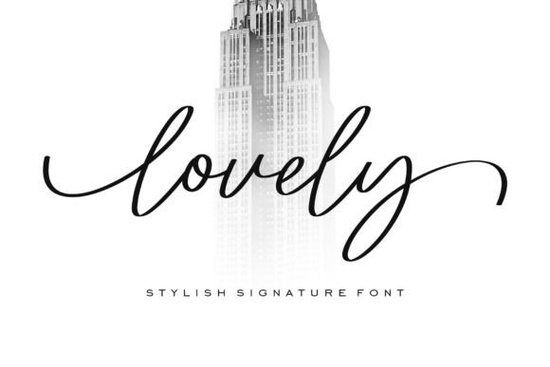
If you're looking for a script font that feels light, romantic, and effortlessly elegant, Lovely Font might be exactly what your next project needs. Designed with delicate curves and subtle swashes, it brings a soft, feminine touch to everything from wedding invitations to boutique branding. Unlike bolder scripts that demand attention, Lovely whispers charm making it ideal for designs where grace matters more than volume.
Whether you’re a small business owner crafting custom greeting cards, a print-on-demand seller designing quote mugs, or a hobbyist personalizing scrapbook pages, this font adapts beautifully across mediums. Its airy letterforms prevent visual clutter, even at smaller sizes, while the gentle flourishes add just enough personality without overwhelming your layout.
What makes Lovely Font stand out among script fonts?
Many script fonts lean either too formal or too playful but Lovely strikes a thoughtful balance. It’s refined without feeling stiff, and whimsical without seeming childish. The thin strokes mimic hand-lettered calligraphy, giving your digital work an organic, human feel. This is especially useful if you’re creating:
- Wedding or baby shower stationery
- Feminine product packaging (think candles, soaps, or skincare)
- Social media quotes with a poetic tone
- Custom apparel with romantic or inspirational messages
If you enjoy fonts with similar vibes, you might also like Enchanted Bride for its bridal elegance or Humble Moon for a slightly more modern, minimalist script. For something with more bounce and energy, Crayons Bright offers cheerful contrast, while Loving Font leans into heartfelt warmth. And if you’re exploring versatile social-media-friendly scripts, Palm Bay Social is worth a look.
How to use Lovely Font effectively
Because of its fine lines, Lovely works best when given breathing room. Avoid using it in dense blocks of text or over busy backgrounds it shines as a headline, logo accent, or short phrase. Pair it with clean, neutral sans-serif fonts (like Montserrat or Lato) to create contrast and improve readability.
For print projects, ensure your printer supports high resolution thin strokes can disappear on low-quality paper or inkjet prints. In digital formats, consider adding a subtle drop shadow or outline if placing text over textured images.
You can explore and download the font directly from Creative Fabrica: Lovely Font.
Who is this font really for?
Lovely Font isn’t trying to be everything to everyone and that’s its strength. It’s perfect if your audience appreciates subtlety, romance, or vintage-inspired aesthetics. Think boutique florists, indie candle makers, wedding planners, or Etsy sellers offering personalized keepsakes. Even educators creating gentle affirmation posters for classrooms might find it useful.
It’s less suited for bold branding, tech startups, or masculine-themed products. But within its niche, it delivers consistent, polished results without requiring advanced design skills.
Tips before you buy
Creative Fabrica often includes bonus glyphs, alternate characters, and multilingual support with their fonts. Before purchasing, check if Lovely Font offers:
- Contextual alternates (for more natural letter connections)
- Ligatures that enhance flow between specific letter pairs
- Web font versions (if you plan to use it on a website)
- Commercial license clarity most Creative Fabrica fonts include one, but always confirm
Also, test it! Many designers grab a free sample or mockup first. See how it looks in your actual project file before committing.
Next step: If you’re ready to try Lovely Font, start by designing a simple quote graphic or mock invitation. Use a neutral background, pair it with a readable body font, and let the script do the talking. Keep your message short three to seven words often works best and notice how the delicate curves elevate the mood without shouting.
Explore Design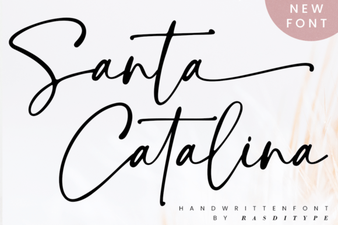 Santa Catalina Font: Design Ideas & Free Download
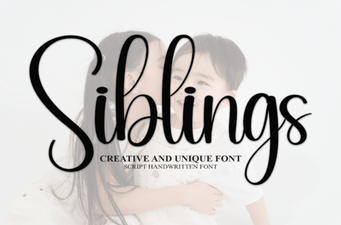 Family-Friendly Fonts for Creative Projects
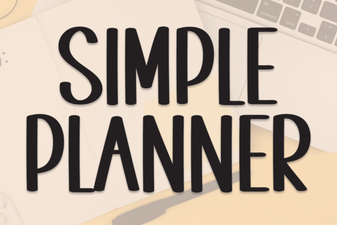 Simple Planner Fonts: Clean Design for Organized Minds
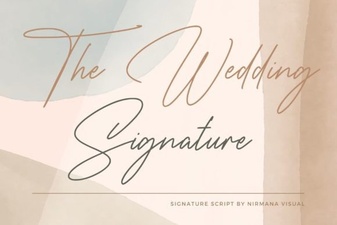 The Signature Wedding Font: Design & Inspiration
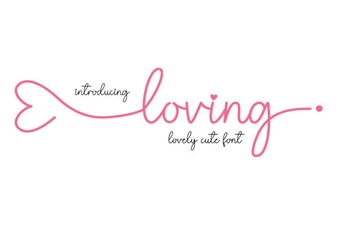 Font Love: Creative Design & Typography Inspiration
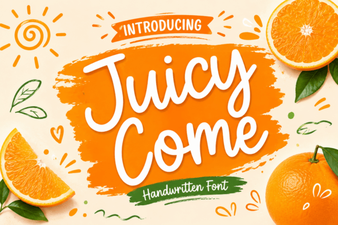 The Juicy Come Font for Web Design Projects