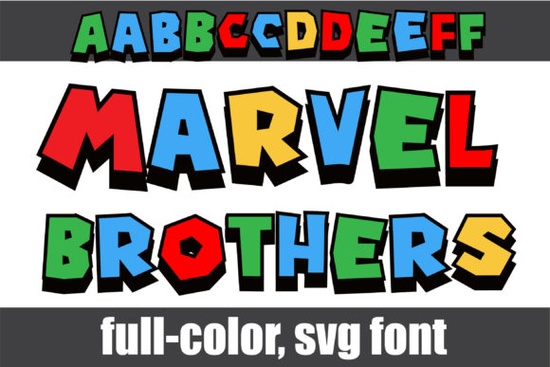
If you're looking for a bold, playful typeface that adds instant visual energy to your designs, the Marvel Brothers Font is worth a closer look. Designed with vibrant primary colors and crisp black shadows, it delivers a comic-book-inspired aesthetic without needing extra effects or layers. It’s especially useful for creators who want eye-catching text right out of the box perfect for posters, t-shirts, social media graphics, or kids’ party decor.
What makes this font stand out is that it’s a full-color OpenType-SVG font. That means each letter already includes its color and shadow baked in, so you don’t have to manually recolor or add drop shadows in your design software. Just type, and you’re done. This saves time and ensures consistent styling across projects.
Which design programs work with Marvel Brothers Font?
The Marvel Brothers Font works smoothly in several popular creative applications:
- Adobe Photoshop (CC 2017 and newer)
- Adobe Illustrator (CC 2018 and newer)
- Silhouette Studio (Business Edition or higher)
- Inkscape (version 1.0+ with SVG font support enabled)
However, it’s important to note that standard OTF or TTF versions of this font won’t display colors in Cricut Design Space. If you rely heavily on Cricut machines, you’ll need to convert the text to outlines or use a different workflow something to keep in mind before purchasing.
How do I access the alternate characters?
Beyond the main uppercase and lowercase sets, Marvel Brothers includes a second set of alternate glyphs for both cases. These offer slight stylistic variations that can add personality or help avoid repetitive letterforms in logos or headlines.
To use them, open your system’s character map (or Glyphs panel in Adobe apps) and browse the additional characters. In Photoshop or Illustrator, go to Window > Glyphs, select your text, and double-click any alternate to insert it. This feature gives you more flexibility without needing a separate font file.
Is this font right for my project?
Because of its bright, blocky style, Marvel Brothers shines in contexts where fun, energy, or nostalgia are key. Think:
- Children’s book titles
- Birthday invitations
- Retro-themed merchandise
- YouTube thumbnails or stream overlays
- Print-on-demand apparel with bold messaging
It’s less suited for minimalist designs, professional reports, or anything requiring subtlety. But if your goal is to grab attention quickly especially from younger audiences or fans of vintage comics it’s a strong choice.
If you enjoy this style but want something with a different vibe, you might also like the Spiderweb Army font, which blends grunge textures with layered color effects. Or explore other options in the colorful fonts collection for more playful typography.
Tips for using color fonts effectively
Color fonts like Marvel Brothers are powerful, but they come with a few best practices:
- Check software compatibility first. Not all programs support OpenType-SVG fonts. Always test in your usual workflow before building a whole project around it.
- Use sparingly. Because the letters are already detailed and colorful, pair them with simple backgrounds and minimal supporting text.
- Avoid scaling too small. The black shadows and color blocks can blur together at tiny sizes, reducing legibility.
- Convert to outlines when needed. For cutting machines or vector exports, outline the text early to preserve appearance.
For a deeper dive into how these fonts work and troubleshooting tips, Creative Fabrica’s Ultimate Font Guide is a helpful reference especially if you’re new to SVG-based typography.
Before you download: quick compatibility checklist
- ✅ You use Photoshop CC 2017+, Illustrator CC 2018+, Silhouette Business Edition, or Inkscape 1.0+
- ✅ Your project benefits from bold, pre-colored lettering
- ❌ You plan to use Cricut Design Space without outlining text first
- ✅ You’re okay with a stylized, non-minimalist look
If most of those boxes are checked, the Marvel Brothers Font could be a fun and efficient addition to your creative toolkit.
Try It Free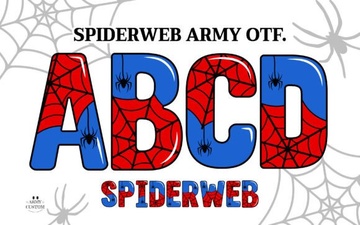 Designing with Spiderweb Army Fonts
 Creative Butterfly Inside Font Design Ideas
 Santa Catalina Font: Design Ideas & Free Download
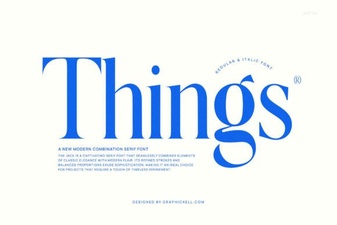 The Things Font: Design Ideas for Creative Projects
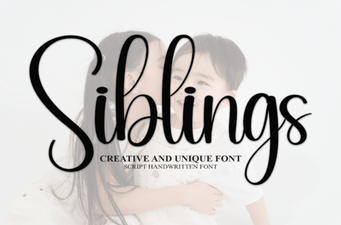 Family-Friendly Fonts for Creative Projects
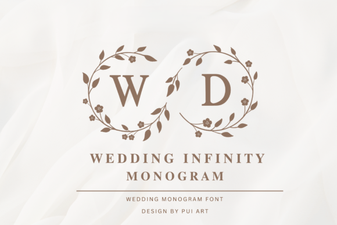 Wedding Monogram Fonts for Unique Invitation Design